Overview
A high-resolution plant render acts as the initial visual state and supports 18 spatial POIs.

Interactive Industrial Experience
An interactive browser-based plant visualization designed to make a large industrial environment explorable without delivering the original multi-gigabyte 3D model to the browser.
Explore the plant
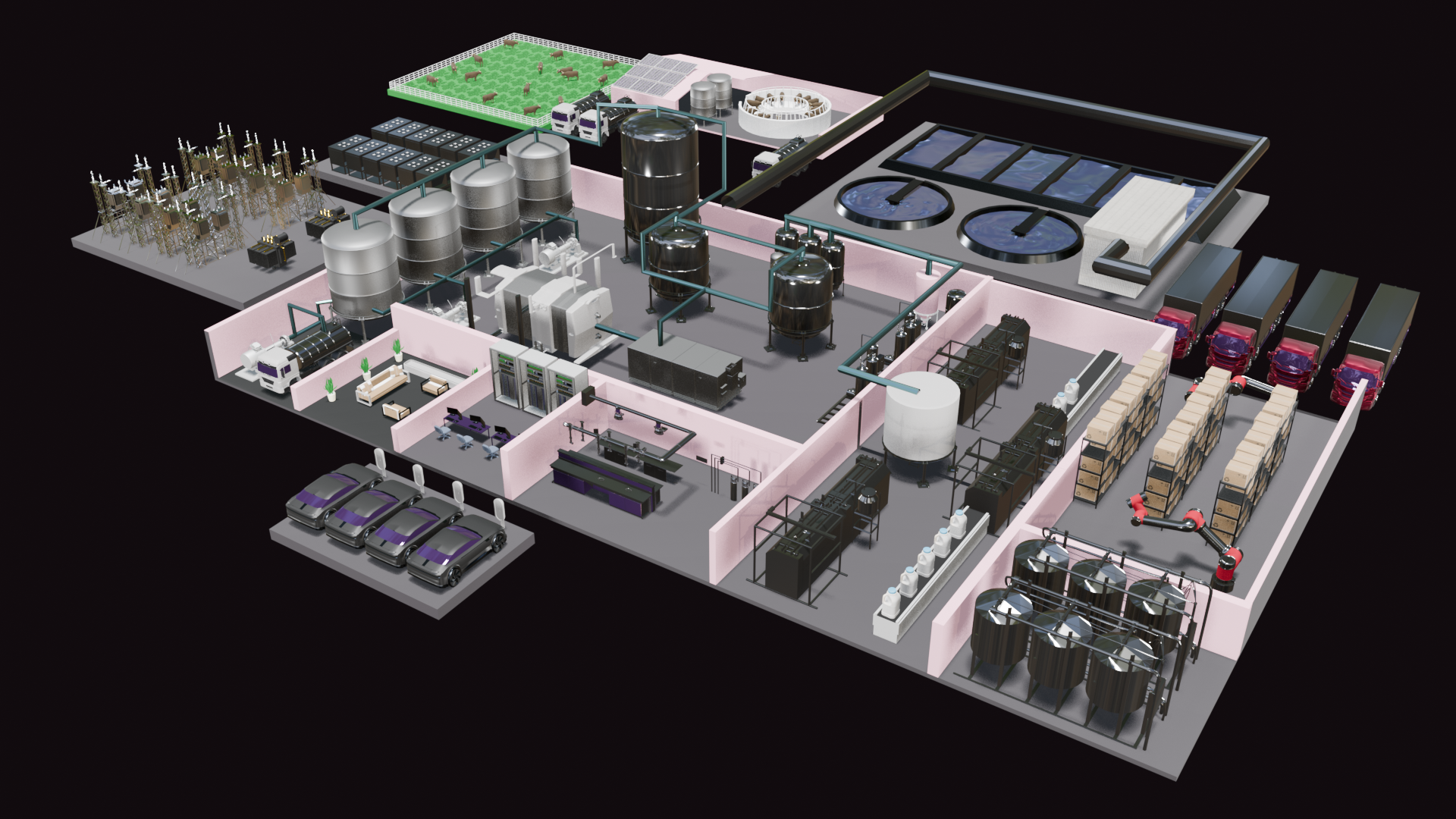
Select a point of interest to explore the plant.
Project overview
The Dairy Plant Visualizer is a browser-based interactive experience built to communicate the structure of a large industrial dairy facility. Instead of presenting the plant as a static render, the interface allows users to move through eighteen points of interest and examine specific areas within the facility.
The experience combines 3D visualization, spatial interface design, frontend interaction logic and pre-rendered media to create the impression of navigating directly through the plant.
The challenge
The original dairy plant environment was built as a detailed 3D model whose source assets exceeded practical browser-delivery limits. Loading the complete model as a real-time web experience would have introduced excessive download size, rendering overhead and inconsistent performance.
The challenge was therefore not simply to display the model, but to preserve the feeling of moving through a spatial environment without requiring the browser to render the entire scene in real time.
The approach
I replaced direct model delivery with a pre-rendered navigation system. Eighteen points of interest are positioned over a high-resolution overview of the plant and mapped to precise sections of a single master animation.
Selecting a location seeks directly to the corresponding segment, plays the camera movement into that area, and pauses on the destination view. Returning to the plant continues through the matching zoom-out sequence and restores the overview and its points of interest.
A high-resolution plant render acts as the initial visual state and supports 18 spatial POIs.
Each POI is mapped independently to the correct location within the master video timeline.
The browser seeks to the required frame range and plays only the transition associated with that location.
Playback pauses directly on the destination frame, no need to swap between video and static imagery.
Project details
Interaction Design
3D Visualization
Frontend Implementation
Blender
JavaScript
HTML / CSS
Industrial UX
Spatial Navigation
Multimedia Optimization
Technical Visualization
18 POIs
Frame-Based Playback
Responsive Positioning
Pre-Rendered Navigation